Table of Contents
ToggleSay Goodbye to GST Mistakes: A Tutorial on the AllSums Easy and Powerful GST 2.0 Calculator
Introduction
Tax season brings quarterly or monthly compliance tasks. The ongoing challenge of ensuring every invoice accurately reflects the correct tax rate and correctly applies the Goods and Services Tax (GST). For millions of small and medium-sized enterprises (SMEs), freelancers, and emerging startups in India, calculating GST—especially the division between Central GST (CGST), State GST (SGST), and Integrated GST (IGST)—is a constant source of stress. An error is not just a minor mistake; it can lead to incorrect invoicing, delayed payments, compliance notices, and wasted time reconciling accounts.
The main issue isn’t the tax itself; it’s the manual process of applying complex rules. Should I use 18% or 5%? Is this an intra-state or inter-state transaction? How much of the tax is sent to the Central Government?
What if there were a simple, instant, and reliable solution that takes the guesswork out of your daily calculations?
Use the AllSums GST Calculator for India.
This powerful, yet simple, free online tool is designed to be the ultimate companion for Indian businesses. It takes a single transaction amount and your chosen GST rate, instantly breaking down the exact tax components to save you time, eliminate errors, and build complete confidence in your invoicing and compliance. This blog post will walk you through exactly why this tool is indispensable and how to leverage every feature to simplify your GST life.
What is the AllSums GST Calculator?
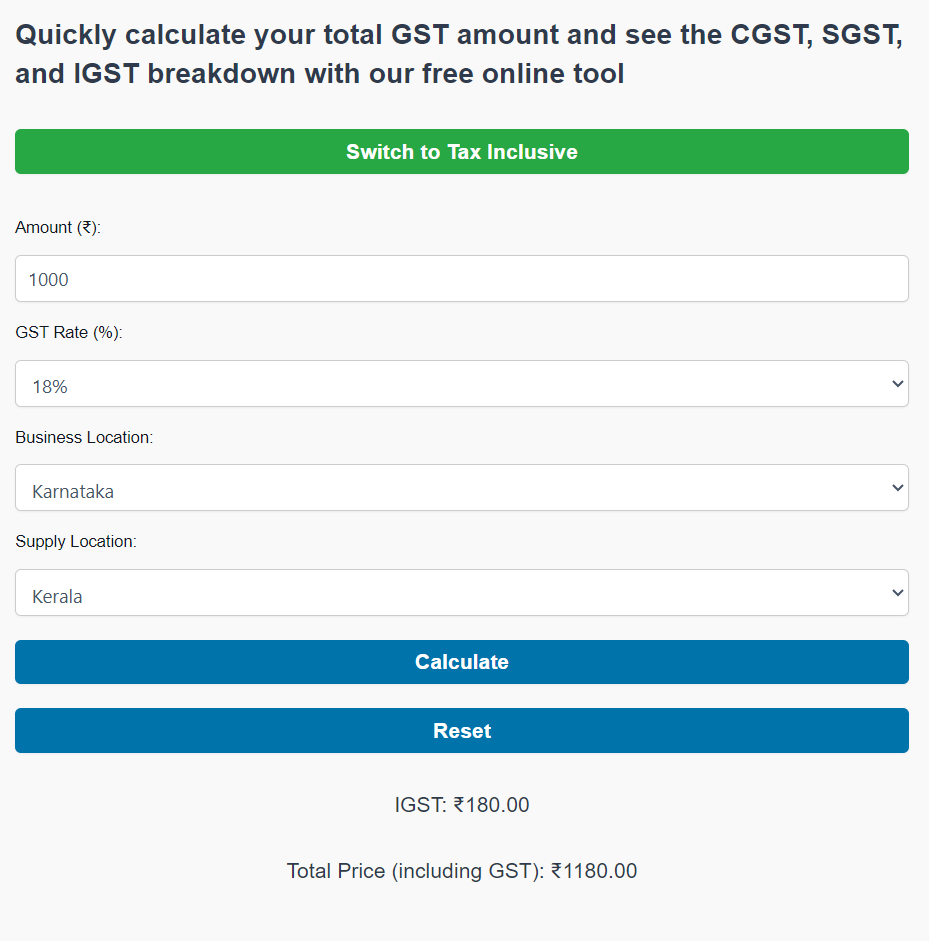
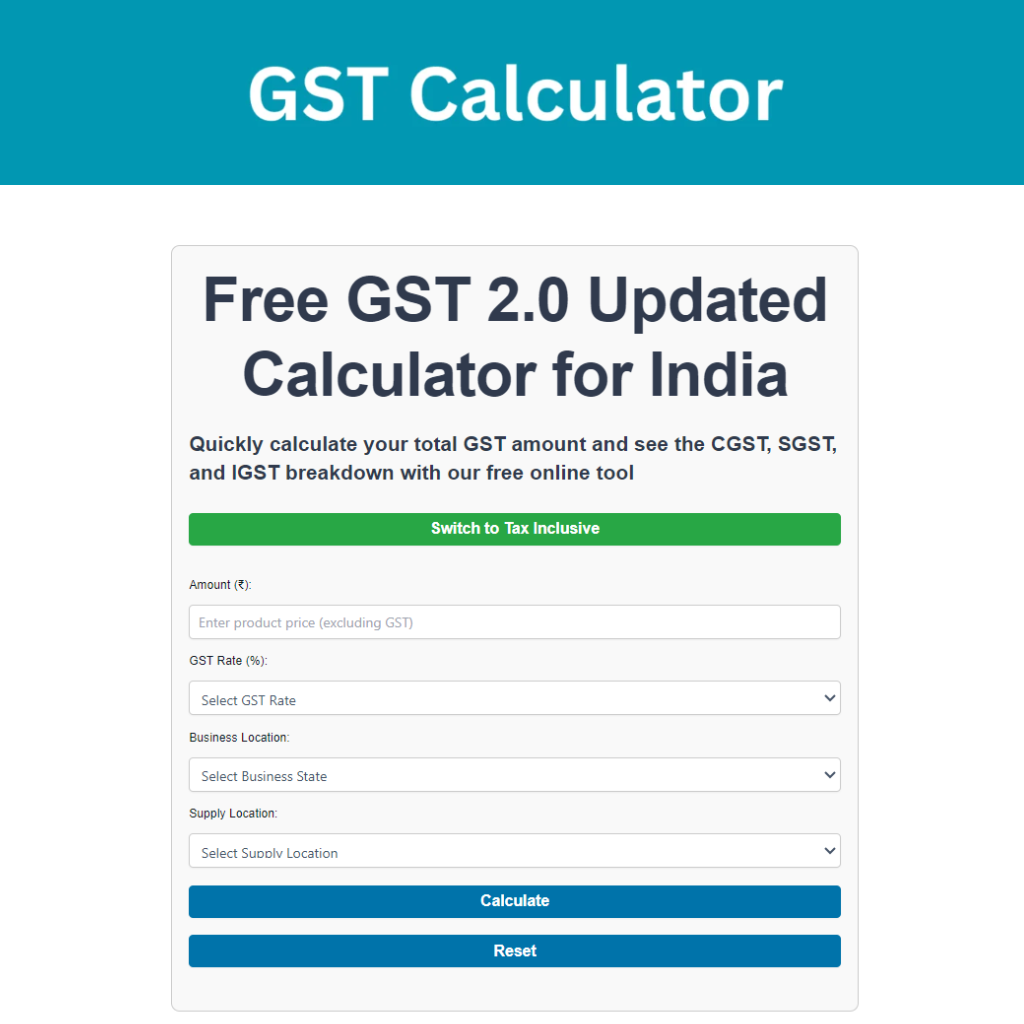
In simple terms, the AllSums GST Calculator is an innovative digital tool for calculating tax value from item amounts and invoice values. It’s a free online resource at https://allsums.com/gst-calculator-india/ that simplifies the complex process of calculating Goods and Services Tax (GST) in India.
Its core functions are designed to handle the complexity of the GST regime:
- Instant Calculation: It calculates the GST amount instantly based on the transaction value and the applicable GST rate (e.g., 5%,18%, 40%, or the newly rationalized rates).
- Inclusive and Exclusive Modes: The calculator offers two essential modes:
- Exclusive Mode: You input the base price (excluding tax), and the tool adds the GST to determine the final sale price. This is ideal when determining the final price for a product or service.
- Inclusive Mode (Reverse Calculation): You input the final sale price (which already includes GST), and the tool accurately reverses the calculation to extract the original base price and the tax component. This is crucial for accounting reconciliation and vendor invoice verification.
- Automatic Breakdown (CGST/SGST/IGST): This is where the tool shines. The GST system mandates that the total tax be split based on the nature and location of the transaction. The AllSums calculator automatically performs this split, showing you:
- CGST (Central Goods and Services Tax): The tax component that goes to the Central Government.
- SGST (State Goods and Services Tax): The tax component that goes to the State Government (or UTGST for Union Territories).
- IGST (Integrated Goods and Services Tax): The tax component applied to inter-state transactions, which is collected by the Central Government and then apportioned to the states.
By providing a clear, itemized breakdown, the AllSums GST Calculator ensures that you are always compliant with the dual structure of India’s indirect taxation.
Why You Need a Reliable GST Calculator?
The Indian GST system, while simplifying the previous multi-tax regime, remains complex due to its multiple slabs and the dynamics between intra-state and inter-state taxation. Human error is inevitable, but its consequences in GST compliance can be costly.
Mistakes That Businesses Often Make:
- Wrong Tax Type Application: Accidentally charging CGST/SGST on an inter-state sale, or applying IGST on a sale made within the same state. This creates compliance notices and complicates the Input Tax Credit (ITC) for the customer.
- Applying the Wrong Slab: Using 18% when the correct rate for your specific HSN/SAC code is 5% or vice-versa. This is common when businesses deal with multiple product categories.
- Incorrect Reverse Calculation: When issuing a receipt, deducting the tax component from the total amount incorrectly, leading to short payment of tax liability. For example, if a final bill is ₹118 and the GST is 18%, simply multiplying ₹118 by 18% is incorrect; the tax portion should be ₹18, not ₹21.24 (18% of ₹118).
- Time Wastage: Spending hours double-checking calculations, manually creating tax columns in spreadsheets, or cross-verifying a colleague’s work.
The Consequences:
- Incorrect Invoices: Faulty invoices can lead to disputes with clients and potential rejection of Input Tax Credit (ITC) claims, damaging business relationships.
- Compliance Issues and Penalties: Consistent calculation errors flag your business to the tax authorities, resulting in notices, assessments, and penalties for under- or over-reported tax liabilities.
- Loss of Time and Money: Fixing errors takes valuable time away from core business operations. Moreover, short-paid tax leads to interest and penalties, directly impacting your bottom line.
A reliable, validated tool like the AllSums GST Calculator provides a crucial safety net. It dramatically reduces errors, saves time spent on calculation, and, most importantly, builds confidence in your financial documentation.
If you found this Allsums GST Calculator tool useful, you might also like our other time and date calculators:
Days Between Dates Calculator: Calculate the total number of days, weeks, and months between two specific dates.
- ultimate-work-time-entry-calculator : Discover the easiest way to track your work hours
How to Use the AllSums GST Calculator — Step by Step
Using the AllSums GST Calculator is intuitive and takes mere seconds. Here is a step-by-step guide to get an accurate GST breakdown every time:
- Navigate to the Tool
Go directly to the calculator: https://allsums.com/gst-calculator-india/.
- Choose Your Calculation Mode (Exclusive vs. Inclusive)
At the top of the interface, you will see two fundamental options:
- Add GST (Exclusive Mode): Select this if you know the base price of your goods/services and want to calculate the final price including tax.
- Remove GST (Inclusive Mode): Select this if you know the final price your customer paid and need to know the base price and the tax amount included within that price (Reverse GST calculation).
- Enter the Amount
In the designated field, enter the transaction value:
- If using Add GST, this is your pre-tax base price.
- If using Remove GST, this is the total, final amount.
- Select the GST Rate
This is the most critical manual step, as only you know the legally mandated GST rate for your specific goods or services (determined by the HSN/SAC code). Select the applicable rate from the dropdown menu (e.g., 5%, 18%, 40%).
- Select Business & Supply Location (The State Logic)
This is the feature that determines the all-important split of the tax amount.
- Business Location (State): Select the state where your business is registered and operating from (the supplier).
- Supply Location (State): Select the state where the goods or services are being supplied to (the recipient).
The AllSums GST Calculator’s Logic:
- If Business State = Supply State (Intra-State Transaction): The calculator will automatically split the total GST into two halves: CGST and SGST (or UTGST).
- If Business State ≠ Supply State (Inter-State Transaction): The calculator will apply the entire GST amount as IGST.
- Viewing the Breakdown and Total
Once all fields are filled, the results section will instantly display a clear, itemized breakdown:
- GST Amount: The total tax payable.
- Original Amount / Net Amount: The base value of the goods/services.
- CGST: The amount going to the Central Government.
- SGST / UTGST / IGST: The amount going to the relevant State or Central Government (as per the intra/inter-state logic).
Total Amount (Final Bill): The full, final price (Base Price + GST).
Understanding the Components
To fully appreciate the AllSums GST Calculator’s breakdown, you must understand the components of India’s GST structure.
The Four Core Components
- CGST (Central Goods and Services Tax): This levy is charged on all intra-state (within the same state) supplies of goods and services. The revenue collected goes to the Central Government.
- SGST (State Goods and Services Tax): This levy is also charged on all intra-state supplies. The revenue collected goes to the respective State Government. In an intra-state transaction, the applicable GST rate is always split equally between CGST and SGST (e.g., for an 18% rate, it is 9% CGST and 9% SGST).
- UTGST (Union Territory Goods and Services Tax): This is the equivalent of SGST, but applied to the Union Territories (like Chandigarh, Ladakh, etc.) that do not have their own legislature. It replaces the SGST component for transactions within these territories.
- IGST (Integrated Goods and Services Tax): This levy is charged on all inter-state (between two different states or a state and a Union Territory) supplies of goods and services. The total tax is collected by the Central Government, which then automatically settles the State’s share with the relevant state.
Transaction Type | Tax Components Applied | Collection Authority |
Intra-State (e.g., Mumbai to Pune) | CGST + SGST (or UTGST) | Central & State Government |
Inter-State (e.g., Chennai to Delhi) | IGST | Central Government |
Current GST Rate Slabs in India (GST 2.0 Rationalization)
The AllSums calculator is built to handle all active rates. Following the recent reforms (effective September 2025 onwards), the GST Council has rationalized the previous multi-tier structure (0%, 5%, 12%, 18%, 28%) into a simpler set of rates, though you must still know which one applies to your specific HSN/SAC code:
- 0% (Nil Rate): For highly essential items and services like fresh food, certain life-saving medicines, and some educational/healthcare services.
- 5% (Merit Rate): For essential and commonly used items such as packaged food, certain medicines, footwear, and entry-level apparel/household items.
- 18% (Standard Rate): The predominant rate, applicable to the majority of goods and services, including most consumer durables (like TVs, ACs, refrigerators), most services (telecom, banking), and mid-sized vehicles.
- 40% (Demerit Rate): Specifically applied to luxury and ‘sin’ goods, such as high-end cars, tobacco products, and certain sugary/aerated beverages.
Use Cases & Examples
Let’s look at two practical scenarios that demonstrate how the AllSums GST Calculator tool provides immediate clarity.
Example 1: Intra-State Sale (CGST/SGST)
- The Scenario: A small shop selling furniture in Bangalore, Karnataka, sells a table with a base price of ₹10,000 to a customer also located in Mysore, Karnataka. The GST rate for this HSN/SAC code is 18%.
- Calculator Input:
- Mode: Add GST
- Amount: ₹10,000
- GST Rate: 18%
- Business Location: Karnataka
- Supply Location: Karnataka
- Calculator Output Breakdown:
- Total GST Amount (18%): ₹1,800
- CGST (9%): ₹900
- SGST (9%): ₹900
- Base Price: ₹10,000
- Final Invoice Total: ₹11,800
Example 2: Inter-State Service (IGST)
- The Scenario: A freelance web designer based in Mumbai, Maharashtra, provides services worth a base price of ₹50,000 to a client in Delhi, Delhi. The service GST rate is 18%.
- Calculator Input:
- Mode: Add GST
- Amount: ₹50,000
- GST Rate: 18%
- Business Location: Maharashtra
- Supply Location: Delhi
- Calculator Output Breakdown:
- Total GST Amount (18%): ₹9,000
- IGST (18%): ₹9,000
- CGST/SGST: ₹0
- Base Price: ₹50,000
- Final Invoice Total: ₹59,000
Reverse GST Calculation (Inclusive Mode)
The most challenging calculation for many is the reverse, or inclusive, mode.
- The Scenario: You received a consolidated bill for office supplies where the final amount is ₹5,800, and you know the applicable GST rate was 18%. You need to find the base price to properly record the Input Tax Credit (ITC).
- Calculator Input:
- Mode: Remove GST
- Amount: ₹5,800
- GST Rate: 18%
- Location: (Doesn’t affect the calculation of base vs tax amount, but still select for completeness)
- Calculator Output Breakdown:
- Total GST Amount: ₹888.14
- Base Price (Net Amount): ₹4,911.86
- Verification: ₹4,911.86 + ₹888.14 = ₹5,800 (The correct calculation is , and . AllSums GST Calculator provides a precise mathematical breakdown, saving you from this complex division and subtraction.)
Tips to Get the Most Out of It
To integrate the AllSums GST Calculator seamlessly into your business workflow and maximize its utility, follow these expert tips:
- Always Cross-Check HSN/SAC Codes: Before relying on any GST rate, ensure you have the correct HSN (for goods) or SAC (for services) code for your product. Cross-check this with official sources or your tax professional. Using the proper rate is your responsibility; the calculator only applies the rate you provide.
- Stay Updated on GST Council Changes: The GST Council in India meets regularly to revise rates and rules. While the AllSums tool is robust, you must keep track of official announcements—like the recent rationalization to 5%, 18%, and 40% slabs—to ensure you are entering the currently applicable rate.
- Bookmark or Embed the Tool: Save the URL—https://allsums.com/gst-calculator-india/—directly in your browser or link it within your internal documentation for instant access during invoicing or purchase order processing. Quick access ensures it becomes a default part of your workflow.
- Use for Preliminary Estimates and Budgeting: Use the tool to quickly calculate the tax implications when preparing a quote for a client or budgeting for a purchase. It provides a reliable estimate before final validation with your accounting software.
- Combine with Your Invoicing and Record-Keeping System: Use the calculator to verify the final figures generated by your accounting or invoicing software, especially for complex transactions or vendor bills where you suspect an error. It serves as an independent auditor for your numbers.
Conclusion
The Goods and Services Tax is the backbone of India’s unified market, and compliance is not optional. For the growing business owner, the freelancer, or the accountant, minimizing the risk of errors while maximizing efficiency is paramount.
The AllSums GST Calculator is more than just a free tool; it is your essential first step towards achieving error-free GST compliance and saving valuable time every day. It handles the complicated tax splitting and reverse calculation logic so you can focus on growing your business.
Ready to simplify your taxes and master your GST invoicing?
Click here and bookmark the ultimate GST solution for Indian businesses: Try the AllSums GST Calculator now!